An RFID cycle count means counting one location at a time, such as a shelf, an aisle, a stockroom or a store department, with an RFID handheld and a mobile app, instead of stopping the business for a full stock take. You choose the location in the app, walk it with the reader, and the screen shows what was found, what is missing and what does not belong there. Because each count takes minutes rather than hours, you can count often, and your stock records stay accurate all year.
Below is how a stock take with RFID works, step by step, and how to plan counts and measure accuracy.
Cycle count or full stock take?
A full stock take counts everything at once, usually once or twice a year. It often means closing the store or warehouse, bringing in extra staff and working late.
A cycle count splits the same work into small pieces. Each day or week you count a few locations, and over a planned period every location is counted at least once. High-value or fast-moving items are counted more often.
Barcode cycle counting already works, but every item still has to be scanned by hand. RFID removes that limit, because the reader picks up many tags at once without seeing them. That makes frequent counts practical even where you hold thousands of items.
What you need
- Tagged items. Every item carries a UHF RFID tag or label with a unique number called an EPC. Shelves and rooms can carry a tag or barcode too.
- An RFID handheld. Devices such as the Zebra TC22 with RFD40 RFID sled or the Chainway C72 UHF RFID handheld reader read tags from a typical distance of a few metres and run the counting app.
- A mobile inventory counting app that knows which items should be in each location.
- A web console where counts are planned, results are reviewed and reports are produced.
NADA-TECH supplies the handhelds, tags and printers in Jordan and across the Middle East, installs and configures the app and console, and trains your team. If you are still choosing hardware, our comparison of fixed vs handheld RFID readers explains which suits each job.
How an RFID cycle count works, step by step
1. Choose the location
The staff member opens the app and picks the location to count, for example a stockroom shelf, a warehouse aisle, a store department or an office. The app loads the list of items expected there.
2. Sweep the location
The staff member holds the trigger and walks the location, pointing the reader at shelves, rails or racks. A few habits help:
- move at a steady pace and keep the reader pointed at the items
- sweep each shelf from top to bottom, including the back of deep shelves
- for boxed items, pass the reader along the front and sides of the stack
- if the reader picks up tags from the next aisle or room, lower its power so it reads only the location being counted
3. See found, missing and unexpected
As the reader picks up tags, the screen updates in real time:
- Found: items expected in this location and read by the reader
- Missing: items expected here but not yet read
- Unexpected: items read here but registered in another location, or not registered at all
The missing list is usually much shorter than the full list. Instead of a vague difference in numbers, you have a few named items to check.
4. Find missing items by signal strength
For each missing item, the staff member can switch to the locate function. The app shows the signal strength rising as the reader gets closer to the tag, often with a beep that speeds up, so you can find a box on a high shelf or a garment hung on the wrong rail. If the item is found, it is marked as counted. If it really is not there, it stays on the missing list for review.
5. Deal with unexpected items
An unexpected item is often just misplaced. Staff can move it back to its correct location or record its new location in the app. Items that are not registered at all may be new stock that was never booked in, and should go to whoever manages receiving.
6. Use barcodes as a fallback
Some items may have a damaged tag or no tag yet. Handhelds such as the TC22 with RFD40 also scan barcodes, so staff can add these items to the same count. A damaged tag can then be reprinted and replaced, with the old EPC linked to the new one so the item keeps its history.
7. Sync and review the results
When the count is complete, the results sync to the web console over Wi-Fi, or over mobile data on devices that have it. A supervisor reviews the differences, approves adjustments to the stock records and closes the count. If your stockroom has weak Wi-Fi, tell us during the site visit so we can plan how and when the devices sync.
Our inventory management page lists the count, alert and report features of the console.
Planning your counts
A good cycle count plan decides what to count, how often and by whom.
- Rank items by value and movement. A common method is ABC classification: A items are high-value or fast-moving and are counted most often, B items less often, and C items least.
- Count by location, not by product. An RFID count picks up everything in a location, so building the plan around shelves, aisles and rooms is usually simpler.
- Pick quiet times. Counting before opening, after closing or at a slow point in the shift avoids items moving during the count.
- Assign owners. Each area has a person responsible for counting it and explaining differences.
- Count after known problems. Add an extra count when a delivery arrives with differences, or when a customer asks for an item the system says you have.
Accuracy KPIs to track
Measure a few simple numbers each week or month, so you can see whether counts are improving your records:
- Inventory record accuracy: the share of items or locations where the count matched the system
- Variance by value: the value of missing and extra items, not only their number
- Count completion: how many planned counts were done on time
- Missing items recovered: how many missing items were found with the locate function during the count
- Time per count: how long each location takes, which shows where layout or tags need attention
Record these numbers from your first counts, then set targets with your team.
Where RFID cycle counting fits
The same method works in many settings:
- Retail stores count the floor and stockroom as separate zones, then refill sizes missing from display. Our article on RFID for retail inventory accuracy covers this in detail.
- Warehouses count racks, cages and pick faces aisle by aisle.
- Offices, hotels, hospitals and universities count fixed assets room by room, as explained in our RFID asset tracking guide.
- Jewellery shops count trays and showcases at opening and closing.
The app we showed at the SATO workshop
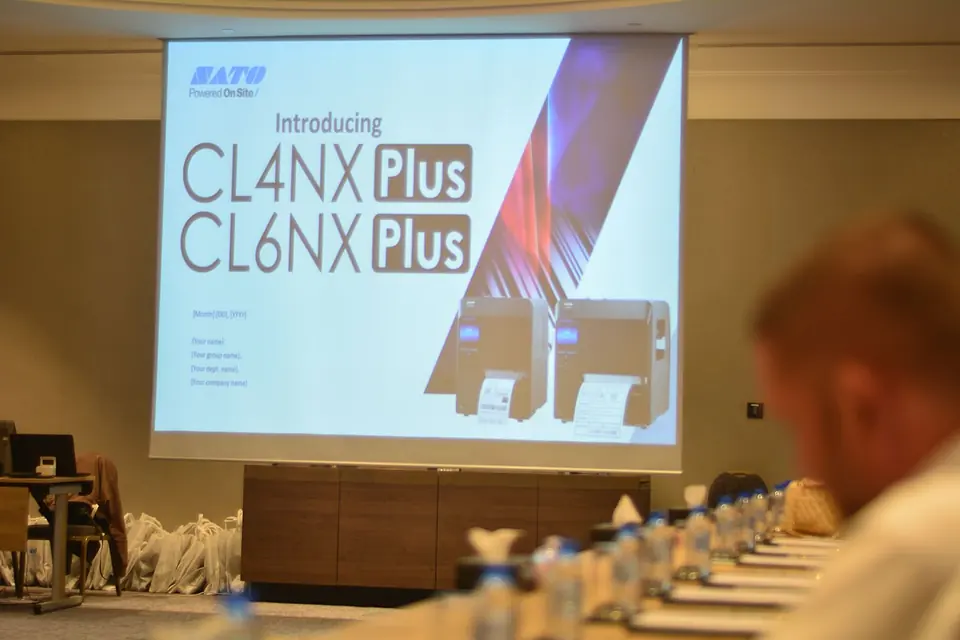
At our strategy workshop with SATO at InterContinental Jordan in Amman, we demonstrated the mobile cycle count and stock count app to partners and customers. It counts a location with an RFID reader and lists what is missing. The same day covered our RFID asset management system end to end, and SATO introduced its CL4NX Plus and CL6NX Plus industrial printers.
Frequently asked questions
How accurate is an RFID cycle count?
It depends on tag choice, tag placement and how well the location is swept. Testing tags on your items and training staff in sweep technique make the biggest difference, and missing items can be checked with the locate function before the count is closed.
Can I count stock with my phone?
A standard smartphone cannot read UHF RFID tags on its own. Phone NFC reads HF tags from a few centimetres, one at a time, which is not practical for counting. The counting app runs on a mobile device with a UHF reader, either built in, as on the Chainway C72, or attached as a sled, as with the RFD40 on a Zebra TC22.
Do I still need barcodes?
Barcodes are a useful fallback for damaged or untagged items, and most RFID labels carry a printed barcode as well.
How often should we count?
It depends on value and movement. Many teams count high-value or fast-moving items weekly and the rest monthly or quarterly, in a plan that fits their staff time.
Talk to NADA-TECH
If you want to run an RFID cycle count in your store, warehouse or office, tell us what you count, how many locations you have and which software holds your stock records. Contact us and we will suggest the handhelds, tags and app setup to match.