An RFID warehouse management system puts a UHF RFID tag on every pallet or carton and places readers at the points where stock changes hands: the dock door, the rack, the packing bench and the handheld in a picker's grip. Each read is checked against your orders and passed to your WMS or ERP, so receiving, putaway, picking, cycle counts and shipping are confirmed with far less one-by-one scanning. Most warehouses keep barcodes for some steps and add RFID where it saves the most time.
Below we follow a pallet through a typical distribution centre in Jordan, Saudi Arabia or the UAE, showing where RFID helps, where a barcode is enough, and how to roll it out.
What an RFID warehouse management system is made of
Every setup combines the same building blocks:
- Tags. UHF RFID labels on pallets, cartons, totes or returnable crates. Each tag carries a unique number called an EPC.
- RFID printers. They print the label face and encode the chip in one pass, so the tag always matches its printed barcode.
- Fixed readers and antennas. Mounted at dock doors, conveyors and packing stations, they read tags as goods pass.
- Handheld readers. Used for cycle counts, searches and any job that moves around the warehouse.
- Software. Middleware that turns raw reads into business events, and your WMS or ERP, which stays the record of your stock.
NADA-TECH supplies the hardware, installs and configures it, trains your team and supports it afterwards, with a web console and reports in English and Arabic. See how the parts fit together on our warehouse management page.
Step 1: Decide what to tag
The first decision is the level at which you tag. It drives tag cost, printing volume and what the system can tell you.
Pallets
Pallet-level tagging is the usual starting point. One tag per pallet is cheap to apply, easy to read at a dock door and enough to confirm receiving, putaway and loading. The pallet tag is often encoded with the pallet's SSCC, the same serial shipping code printed on its barcode label.
Cartons
Carton-level tagging adds detail for mixed pallets and for picking, where cartons leave the pallet and travel on their own. Each carton tag can carry the product code (GTIN) plus a serial number, a format the GS1 standards call SGTIN.
Items and returnable assets
Item-level tagging suits high-value goods such as electronics or spare parts. Returnable crates and reusable pallets can carry permanent tags, so you know how many are on site and how many are still with customers.
A practical rule: tag at the level where you lose time or money today. If counts and loading errors are the problem, pallets may be enough. If picking errors are the problem, go down to cartons.
Step 2: Receiving at the dock door
A fixed reader such as the Zebra FX9600 drives antennas mounted on both sides of a dock door. When a forklift carries a tagged pallet through, the reader picks up the pallet tag and, on many loads, the carton tags inside. The software checks the reads against the advance shipping notice or purchase order and shows the result at the door. A green or red stack light, driven from the reader's outputs, tells the driver whether to carry on or stop.
Two points matter at receiving:
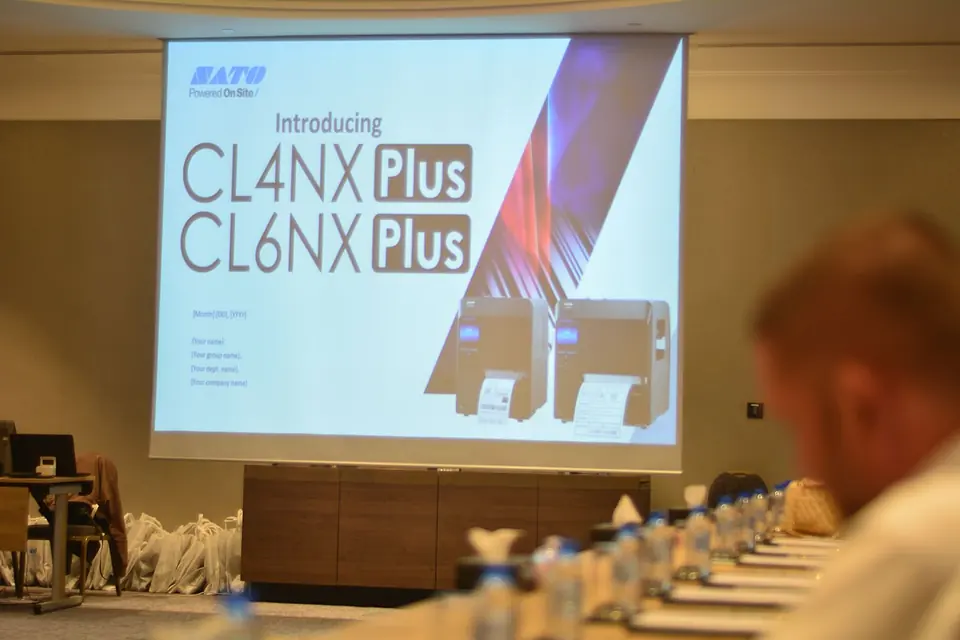
- Not every inbound pallet will be tagged. Goods arrive from many suppliers, and only some apply RFID tags. Set up a tagging station near the dock with an RFID printer such as the SATO CL4NX Plus, so untagged pallets get a printed and encoded label before they enter stock.
- Dense pallets need testing. Metal blocks radio signals and liquids weaken them, so on a pallet of tinned food or bottled water, tags on inner cartons may be shielded. Tags on the outside of the pallet usually read well; test inner cartons with your real products before you depend on them.
Step 3: Putaway and location labels
Putaway is where accuracy is won or lost. A pallet in the wrong bay is as good as missing until the next count.
Every rack position needs a location label with a clear name, built from zone, aisle, bay, level and position, plus a barcode. When the driver puts the pallet away, the handheld reads the pallet tag and scans the location barcode, and the WMS records the pair.
For locations, a barcode is usually a better choice than an RFID tag. An RFID reader picks up every tag within range, so it cannot easily tell bay 12 from bay 13 next to it. A barcode is read only when the scanner is pointed at it, which is exactly what you want when you confirm one position. Some sites also tag rack beams with on-metal RFID labels to support counts, but the barcode remains the confirmation. Our warehouse labelling guide covers rack labels, materials and layout in detail.
Step 4: Picking verification
Barcode scanning works well for single picks. RFID speeds things up when several cartons go into one tote or onto one pallet:
- The picker reads the whole tote or pallet with a handheld, and the screen confirms that the right products and quantities are there.
- At the packing bench, a short-range reader under the bench or a small reading tunnel checks the full order before the box is sealed.
- A wrong product or a missing carton is flagged at the bench, not by the customer.
Keep that read zone small, so tags from the next order on the bench are not read by mistake.
Step 5: Cycle counts with handheld readers
Cycle counts are often where RFID pays back fastest. A staff member walks an aisle with a handheld reader such as the Chainway C72, reading every tag on the racks within range. The screen shows expected, counted, missing and extra items for that location while the count is still under way.
Because counting an aisle becomes a short walk, you can count fast-moving zones every week and the rest of the warehouse in rotation, instead of shutting down for a yearly stock take. The same handheld has a locate mode that leads you to a single pallet or carton by signal strength. Our inventory management solution sets up these counts, with alerts for low stock and items close to expiry.
For high racks, test how far your handheld reaches from the floor with your real tags. Lower and middle levels are usually within range; top levels may need a reach pole or a count from a lift.
Step 6: Shipping checks
At the outbound door, the same kind of fixed reader confirms that each pallet belongs to the load being dispatched. If a pallet for another customer passes through, the stack light turns red and the screen names the pallet. The system records what left, from which door and when.
Neighbouring doors need care: a reader at door 3 can pick up a pallet waiting at door 4 unless antenna type, power and position are set properly, sometimes with a motion sensor that starts reading only when a forklift passes. Our comparison of fixed and handheld RFID readers explains these choices.
Barcode or RFID: process by process
You do not need RFID everywhere. Here is how the two usually compare at each step:
- Receiving. Barcodes work if every pallet carries a readable label and staff scan each one. RFID reads pallets as they pass, which helps at busy docks.
- Putaway. Barcode location labels are the most reliable way to confirm a single rack position. RFID identifies the pallet.
- Picking. Barcodes suit single-item picks. RFID helps when many cartons go into one tote or onto one pallet.
- Cycle counts. RFID gives the biggest gain, because a whole aisle is read in one walk.
- Shipping. RFID portals check loads without stopping the forklift. Barcodes work where volumes are low.
Whether your warehouse is in Amman, Riyadh or Dubai, the usual result is a mix: barcodes for locations and single picks, RFID for pallets, counts and dock doors.
Connecting RFID to your ERP or WMS
RFID data is only useful once it reaches the system your team already works in. Four principles keep integration simple:
- Your WMS or ERP stays the system of record. RFID confirms events; it does not replace your stock, order or finance records.
- Raw reads become events. A reader may see the same tag many times a second. The software filters those reads into one event, such as "pallet received at door 2 at 09:14".
- Each EPC links to a record. The tag number identifies the pallet, carton or item, and your software links it to the product, lot, expiry date and order.
- Agree on the interface early. Events can pass through an API, a database link or a file exchange; ask your ERP or WMS provider which they support before you design the project.
A rollout plan that limits risk
- Walk the process. Map how goods arrive, move and leave, note where time and errors build up, and time today's counts and receiving so you can compare later.
- Test tags on real products. Try labels on your actual pallets and cartons, including metal and liquid products, and confirm read rates at the door and in the aisle.
- Pilot one door and one product group. Prove receiving, putaway and counting in a small area before you expand.
- Connect the software. Link events to your WMS or ERP and check that the numbers match.
- Train the team. Drivers, pickers and supervisors each get a short, hands-on session on their part.
- Expand step by step. Add doors, zones and processes once the pilot runs smoothly.
Frequently asked questions
Does an RFID system replace our warehouse management software?
No. RFID captures what happens on the floor and sends it to your WMS or ERP, which remains the record of stock, orders and locations.
Can RFID read every carton on a full pallet?
Often, but not always. Tags deep inside a pallet of metal or liquid products may be shielded, so test with your own products before you rely on carton-level reads.
Do we still need barcodes?
Yes, in most warehouses. RFID labels usually carry a printed barcode as well, and barcode location labels remain the best way to confirm a single rack position.
Which RFID frequency do warehouses use?
Most warehouse projects use passive UHF RFID, which reads from several metres away. Readers must be set to the UHF band allowed in your country, so check the current rules with your regulator or ask us to confirm for your site.
Planning an RFID warehouse management system in Jordan or elsewhere in the Middle East? We can visit your site, test tags on your products and propose readers, printers and software that fit the way your warehouse works. To arrange a visit, contact us.