Clear labels, from kitchen to buffet
Today
What gets in the way
In a busy kitchen, labels are still often written by hand: a marker, a strip of tape and a date worked out in someone's head. They are hard to read, easy to get wrong, and they leave first in, first out to chance. Out front, buffet signs are printed on paper and replaced by hand whenever the menu changes.
NADA-TECH sets up two printers for two jobs. In the kitchen, staff tap a product on the printer's touch screen and get a label with preparation and expiry dates already calculated. At the buffet, a tag and card printer prints durable tags with dish names and allergens in one or two languages.
Handwritten date labels
Labels written by hand are slow, hard to read and easy to get wrong, which puts food safety and audits at risk.
Waste from unclear dates
When nobody can read the date, food is either thrown away too early or kept too long.
Buffet signs that look improvised
Paper signs curl, stain and fall out of date, and every menu change means another round of printing and cutting.
How it works
From tag to report
- 1
Set up products and templates
We load your dishes, shelf lives and label layouts on the kitchen printer, and your buffet templates in the tag design software.
- 2
Tap and print in the kitchen
Staff pick a product by picture or icon on the touch screen, and the label prints with its dates and allergens.
- 3
Design and print for the buffet
Edit the dish name and allergens on a PC or Mac, click print, and slide the finished card into its holder.
- 4
Stay supplied
Reorder label rolls, cards and ribbons from our Amman office by format and material.
What you get
Built for the people who use it
Standalone kitchen printer
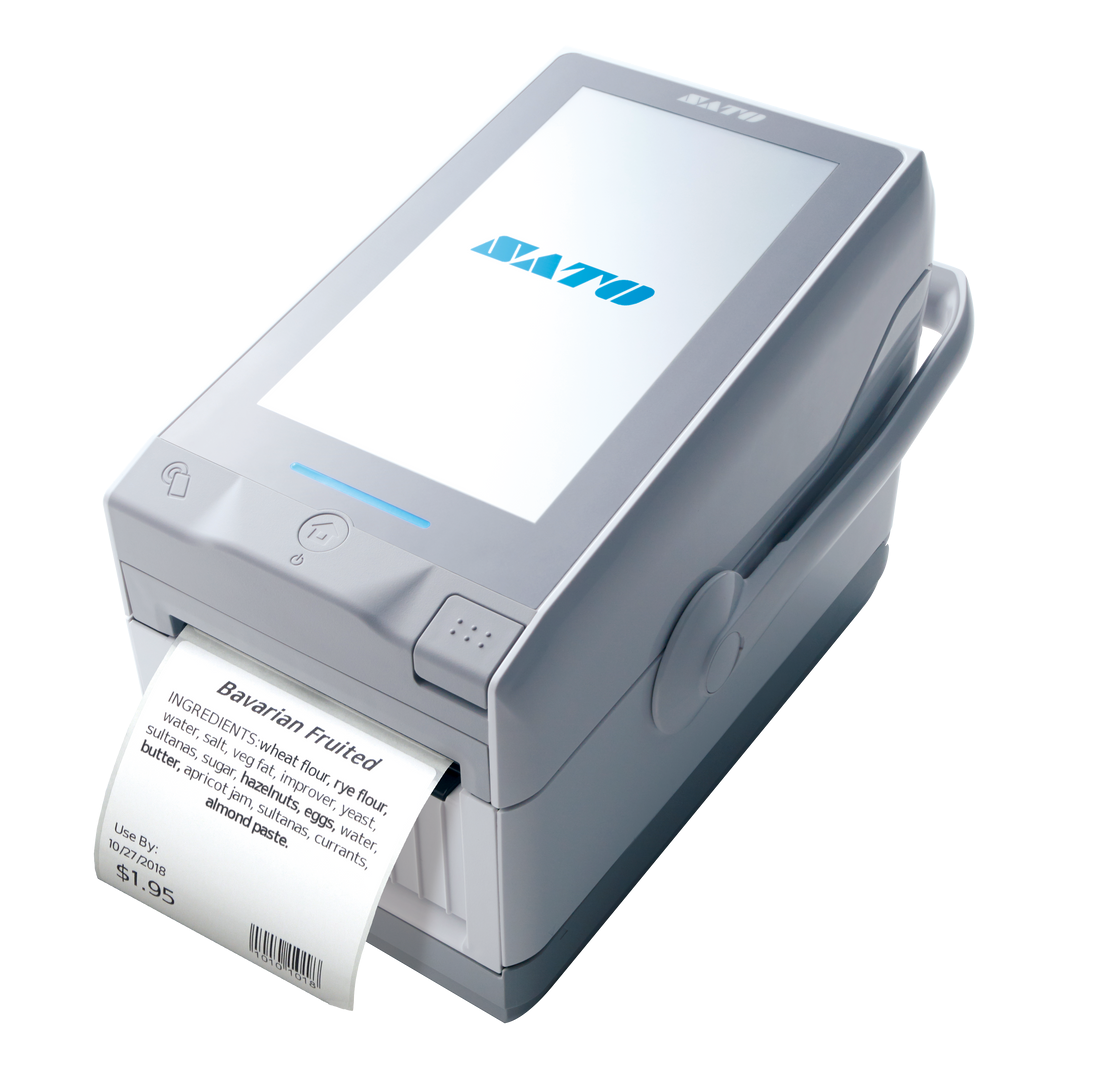
The kitchen printer runs from its 7-inch touch screen with no computer, and responds even through rubber gloves.
Arabic on screen and on the label
Menus in 31 languages and labels in 47, including Arabic, so staff read in their language while labels print in yours.
Built for kitchens
Splash-proof and impact-resistant, with an anti-bacterial casing that wipes clean.
Buffet tags that look the part
The buffet printer prints white-on-black or full-colour tags on PVC, paper, PLA wood or recycled PETG.
Templates ready to use
The buffet tag software includes over 200 templates, a dedicated allergen feature and menu import from Excel.
Barcode and price label printers
Desktop and industrial label printers handle product, shelf and price labels beyond the kitchen.
Films
From the kitchen to the buffet
A kitchen label printer prints each label with its dates; a card printer prints the matching buffet tag.
Hardware
Products for Labelling printers
 SATO
SATO CG4 barcode printer
Compact 4-inch desktop label printer for shelf-edge, product, carton and file labels, in 203 or 305 dpi.
 SATO
SATO CL4NX barcode printer
4-inch industrial label printer with a metal frame, colour display and up to 609 dpi, for warehouses and production lines.
 SATO
SATO FX3-LX kitchen label printer
3-inch kitchen label printer with a 7-inch touch screen that prints prep, expiry and allergen labels without a computer.
 Evolis
Edikio Guest Flex card printer
Card printer kit for buffet tags, price tags and guest cards in colour or white on black, designed in the Edikio Guest software.

Direct thermal labels, 1.5 × 1 inch
Small 1.5 × 1 inch direct thermal labels for price, product and barcode labels, 1,000 per roll.

Direct thermal labels, 2 × 1 inch
2 × 1 inch direct thermal labels for barcodes, product labels and stock, 1,000 per roll.

Direct thermal scale labels, 4 × 6 cm
4 × 6 cm direct thermal labels for label-printing weighing scales at deli, butcher and fresh-produce counters.

Shelf tag labels, 7 × 3.8 cm
7 × 3.8 cm shelf tag labels for shelf-edge prices and product details in supermarkets and shops.
Who uses it
- Hotels and resorts
- Restaurants and central kitchens
- Cafés, bakeries and sweet shops
- Catering companies
- Supermarkets, delis and food counters
Questions about Labelling printers
Does the kitchen label printer need a computer?
No. It works on its own: staff choose a product on the 7-inch touch screen and the label prints with the dates already calculated. It can also join your network over Ethernet, or over Wi-Fi with the optional kit.
Can labels print in Arabic?
Yes. The kitchen printer prints labels in 47 languages including Arabic, and the screen can show a different language from the label. The buffet tag software comes in 22 languages, including Arabic, and a buffet tag can carry the dish name in two languages.
What does the buffet tag printer print on?
Rigid cards in credit-card size and two long buffet formats, 120 × 50 mm and 150 × 50 mm. You can choose PVC, paper, PLA wood or recycled PETG, printed in full colour or a single colour such as white on black.
Do you provide consumables and training?
Yes. We install the printers, set up your label and card templates, train your team, and supply label rolls, cards and ribbons from Amman. When you reorder cards, just tell us the format, material and ribbon type.
Read more about it
Chocolate croissant
كرواسون بالشوكولاتة
BAKERY
Made29/10/202606:10Ready29/10/202606:30Discard29/10/202618:00Room temperature · Pastry team
USE BY
18:00
THURSDAYالخميسIndustry
Food safety labels for hotel kitchens: a practical guide
How hotel kitchens use Made/Ready/Discard, day-colour and allergen labels to support HACCP and first-in-first-out, from the prep station to the buffet.
Oct 28, 2026 · 7 min read
 STOCK
Mineral water
330 ml · 24 bottles per carton
LOT2611-AEXPIRY03/2027LOCATIONAisle 4 · Shelf A-040 6281234 56789 0
Guide
How to choose a barcode label printer: a practical guide
Desktop, industrial or mobile, direct thermal or thermal transfer, 203 or 300 dpi, wax or resin: how to match a barcode printer, ribbon and labels to the job.
Oct 24, 2026 · 7 min read
Tell us what you need to track.
We reply within one working day with a recommendation and a price.